How to Create a Coinbase Account With a Phone Number?
Coinbase was founded in 2012 and has grown into one of the largest cryptocurrency exchanges in the world, with over 100 million verified users. It allows people to buy, sell, send, and store hundreds of cryptocurrencies in a secure and beginner-friendly environment.
To protect its users from fraud and unauthorized access, Coinbase requires phone number verification during the account creation process. When you sign up, Coinbase sends a one-time SMS code to the number you provide. You enter that code to confirm your identity and complete registration.
This is a standard security practice — but it does mean you need access to a working phone number. That’s where TextVerify.io comes in.
Why use a virtual number from TextVerify.io?
Many people are uncomfortable sharing their personal mobile number with every online platform they join. Here are the main reasons why a virtual number is a smart choice:
Complete privacy
Your real phone number is never exposed to Coinbase or any third-party advertiser. You stay in full control of your personal information.
No SIM card required
You don’t need a physical SIM card or a mobile carrier plan. TextVerify numbers are 100% online and available instantly.
Works from anywhere
Textverify.io provides numbers from the US, UK, Canada, Australia, and many other countries — so you can always find one that matches Coinbase’s requirements.
Instant delivery
SMS codes arrive within seconds on your TextVerify dashboard. No delays, no waiting — just a smooth, fast verification experience.
Step-by-step: how to create a Coinbase account with a virtual number
Visit TextVerify.io
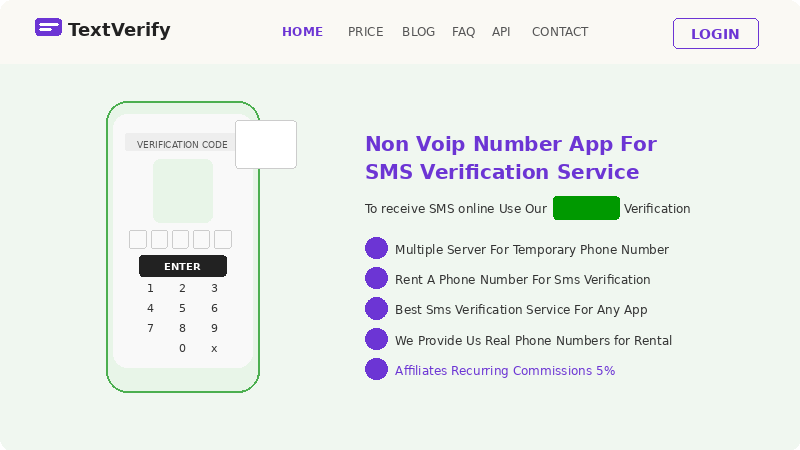 Open your browser and go to textverify.io. Create a free account using your email address, or log in if you already have one. The signup process takes less than a minute.
Choose your country and number
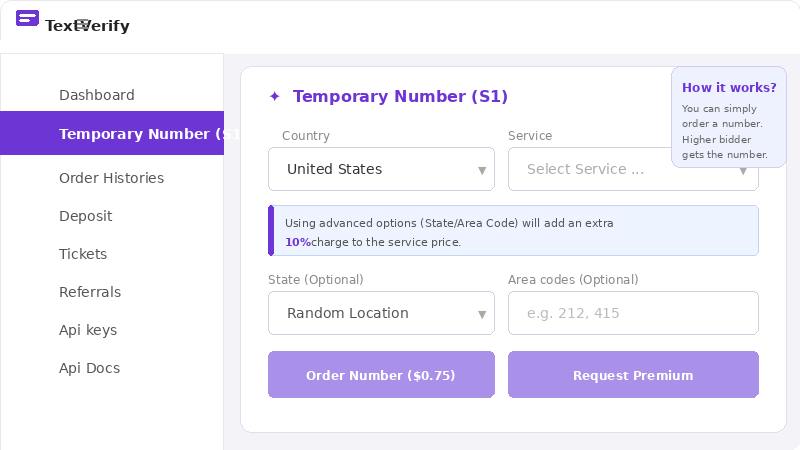 From your TextVerify dashboard, select a country. For Coinbase, a United States (+1) number works best. Browse the available numbers and select one that suits you.
Copy the virtual number
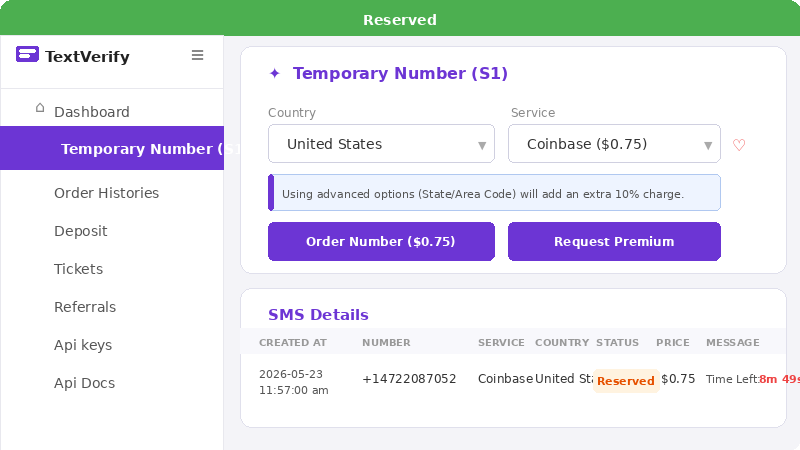 Once you’ve selected a number, copy it from your TextVerify dashboard. Keep this tab open — you’ll need it to receive the SMS code shortly.
Go to Coinbase.com
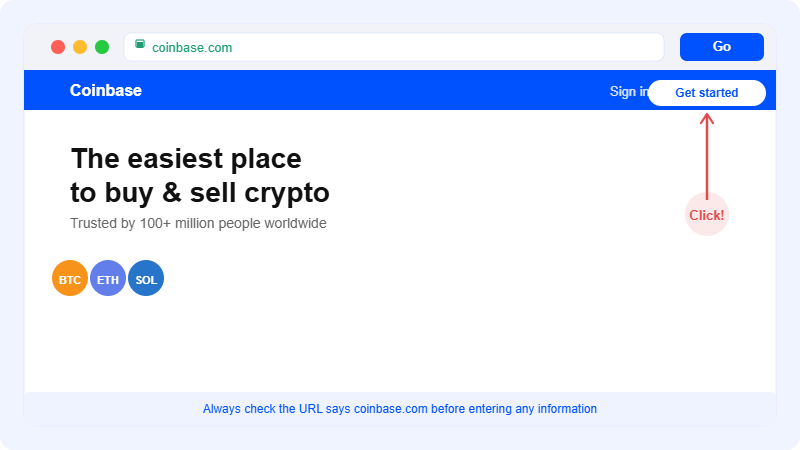 Open a new tab and navigate to coinbase.com. Click the Get started or Create account button on the homepage.
Fill in your personal details
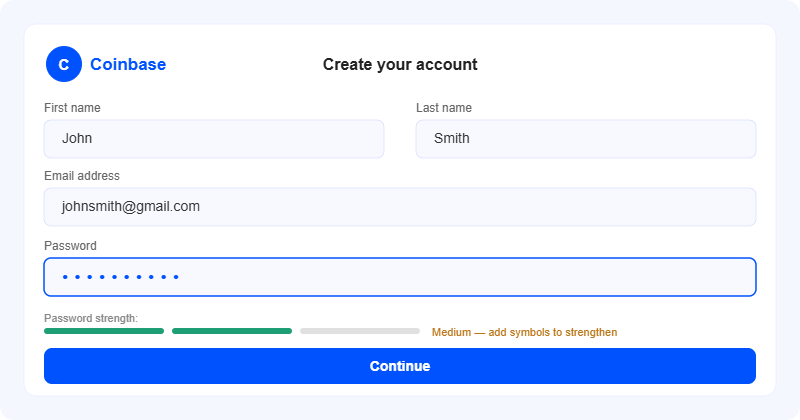 Enter your first name, last name, email address, and a strong password. Make sure your password is at least 8 characters and includes a mix of letters, numbers, and symbols. Click Continue.
Enter your TextVerify number
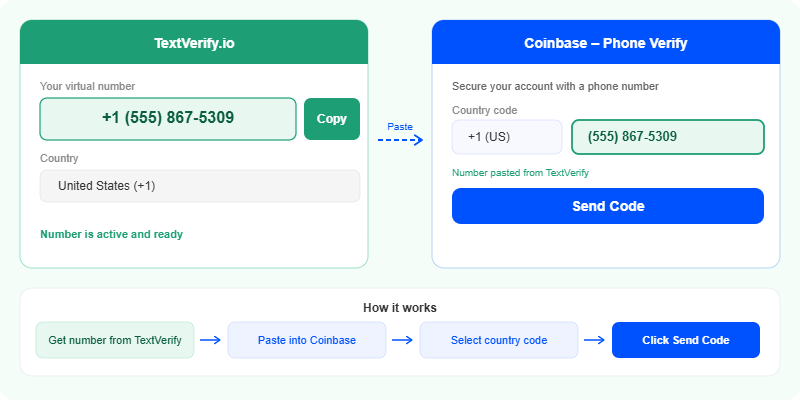 On the phone verification page, paste the virtual number you copied from TextVerify.io. Select the correct country code from the dropdown, then click Send code.
Retrieve the SMS verification code
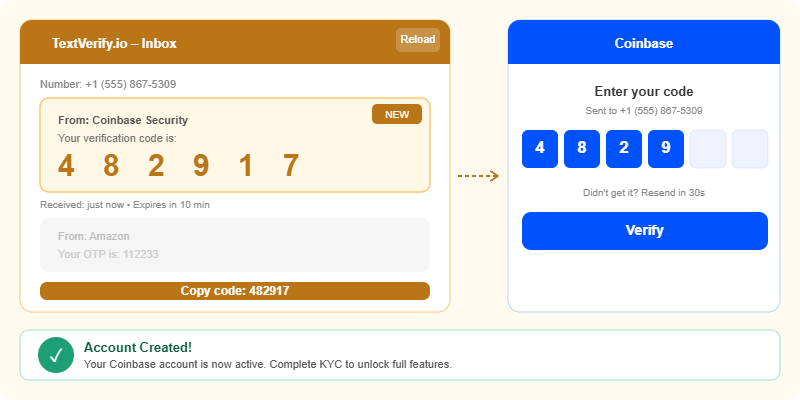 Switch back to your TextVerify.io dashboard. Within a few seconds, a 6-digit code will appear in your inbox. Copy that code immediately.
Enter the code and complete signup
Paste the 6-digit code into Coinbase and click Verify. Your Coinbase account is now created! You may be prompted to complete identity verification (KYC) with a government ID to unlock full buying and selling features.
Tips to avoid common mistakes
Don’t wait too long. Coinbase SMS codes expire within 10 minutes. As soon as you receive it on TextVerify, enter it on Coinbase right away.
Match the country code. If you selected a US number on TextVerify, make sure you select +1 (United States) in the Coinbase country dropdown. A mismatch will prevent the code from arriving.
Code not showing up? Click Resend on Coinbase, then refresh your TextVerify dashboard. If it still doesn’t arrive after 30 seconds, try a different number from TextVerify.
Use a strong password. Since you’re creating a financial account, always use a unique, strong password and enable two-factor authentication (2FA) after signup for extra security.
Frequently asked questions
Can I use TextVerify numbers for other crypto platforms?
Yes! TextVerify.io works with many other platforms that require SMS verification, including Binance, Kraken, OKX, and Bybit. It’s a versatile tool for anyone who signs up for multiple crypto services.
Will Coinbase ask for more verification later?
Yes. Coinbase will ask you to verify your identity (KYC) with a government-issued ID to unlock full features like buying crypto with a credit card or bank transfer. This is a regulatory requirement and is separate from the phone verification step.
Is TextVerify.io free to use?
TextVerify.io offers both free and paid options. Some numbers are available at no cost, while others may require credits depending on availability and country. Check the pricing section on textverify.io for full details.
Is it safe to use a virtual number?
Yes, using a virtual number for SMS verification is completely safe. TextVerify.io does not share your information with third parties, and your real phone number is never exposed during the process.
Whether you’re a first-time crypto buyer or an experienced trader opening a new account, TextVerify.io makes the phone verification step quick, private, and stress-free. It works not just for Coinbase but for dozens of other platforms that require SMS verification during signup.
Get your free virtual number today
Instant access. Works with Coinbase, Binance, and 100+ other platforms.