🎮
How to Create a Discord Account Without a Phone Number
A practical guide — 2026
Discord asks for phone verification more often than most people expect. Whether you are joining a phone-locked server, creating a new account, or logging in from a new device, Discord will request an SMS code. For many users, handing over a personal phone number to yet another platform is a trade-off they would rather skip.
This guide explains why Discord blocks most free workarounds, what actually passes its verification check, and how to set up a Discord account without using your real SIM.
Short answer: Discord blocks VoIP numbers from services like Google Voice or TextNow. What works is a real US carrier number from a virtual number service like
TextVerify.io. You receive the SMS code in your browser, enter it into Discord, and the process completes in under two minutes.
1
Why Use a Virtual Number for Discord
There are several practical reasons to keep your personal SIM off a Discord account:
🔐 PrivacyDiscord stores your number permanently. A virtual number keeps your SIM out of their database entirely.
👥 Multiple accountsEach Discord account needs its own number. Virtual numbers let you set up separate accounts for different purposes.
🌐 No local SIMTravelers or people with non-US numbers may find Discord’s verification only accepts certain country codes.
🔒 Phone-locked serversSome Discord servers require phone verification before entry. A virtual number lets you meet that requirement once.
📱 Device change triggers re-verificationDiscord often sends an SMS when you log in from a new device. A virtual number handles this without touching your personal SIM.
Discord actively checks whether a number comes from a real mobile carrier. These free options fail that check:
| Google Voice — VoIP. Discord flags it before the code is even sent. You will see an error or the code simply never arrives. |
| TextNow / TextFree — Also VoIP. Blocked by the same carrier-type detection that blocks Google Voice. |
| Free public SMS sites — These recycle shared numbers used by thousands of other people. The number ranges are on Discord’s block list, and any codes that do arrive are visible to anyone on the site — a privacy risk on top of a reliability problem. |
| A friend’s number — Ties your Discord account to their SIM permanently. Discord may re-verify on new logins, meaning you need that person’s phone available every time something unusual happens. |
What Discord accepts is a number routed through a real US mobile carrier that has not been mass-registered before. That is what paid virtual number services provide.
3
Step-by-Step Verification Guide
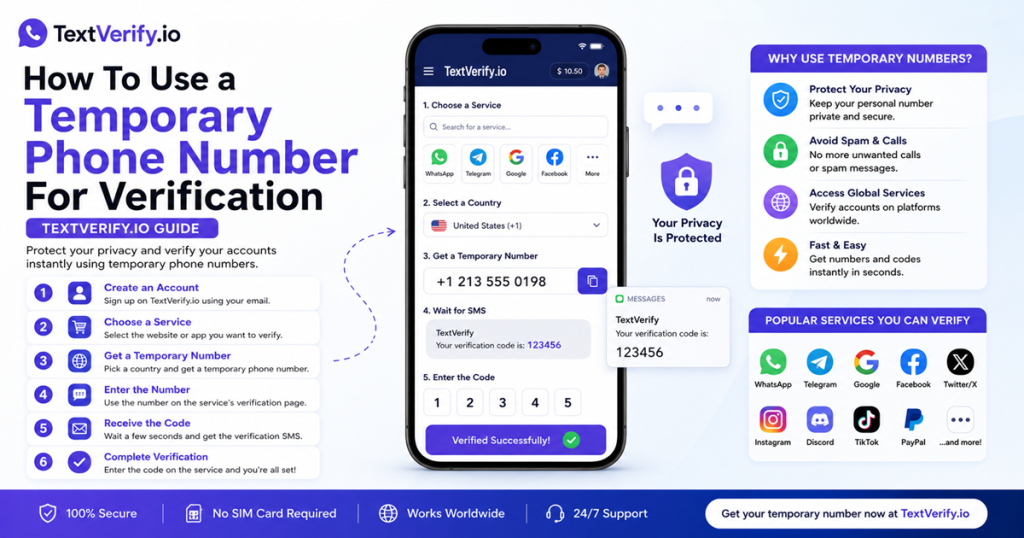
Here is how to get through Discord’s phone verification using a virtual number from TextVerify.io:
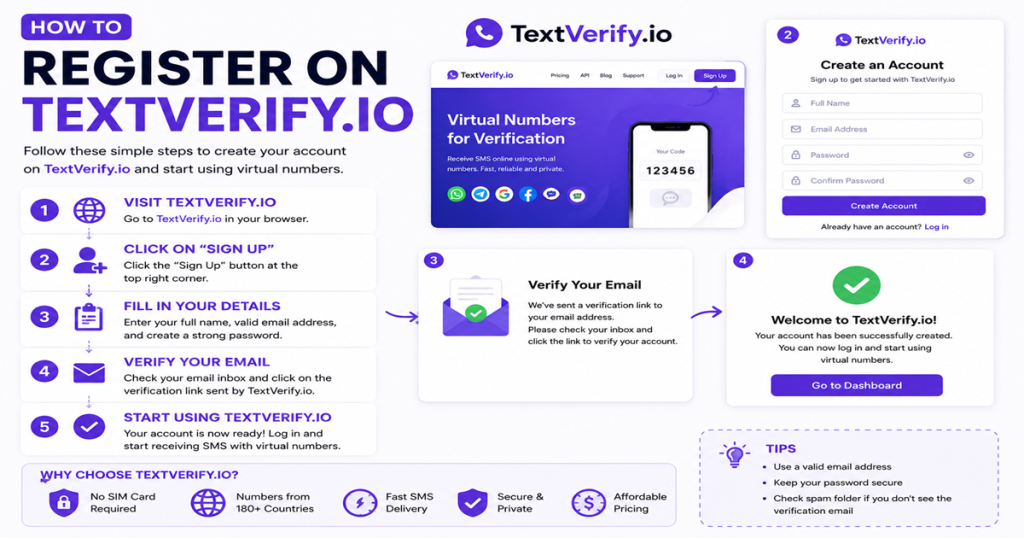
| 1 |
Create a TextVerify account
Go to textverify.io and sign up with your email address. No credit card is required at registration. Your inbox dashboard opens immediately after.
|
| 2 |
Open Discord and navigate to phone verification
Start creating your Discord account, or go to User Settings → My Account → Add a phone number for an existing account. Stop at the phone number input field — do not request the code yet.
|
| 3 |
Get a US number from TextVerify
Add credits to your TextVerify account, search for Discord in the service list, and select a US number. You can pick a specific state if you want the area code to match your location.
|
| 4 |
Enter the number into Discord and send the code
Copy the number from TextVerify and paste it into Discord. Set the country to United States (+1) and click Send. Do this immediately — do not wait.
|
| 5 |
Collect the code from TextVerify
Switch to your TextVerify dashboard. Discord’s 6-digit code appears within seconds. Copy it.
|
| 6 |
Enter the code and finish
Paste the 6-digit code into Discord and click Finish. Your account is now phone-verified. The verification stays permanently — even after the TextVerify number expires.
|
⚠️ Work fast: Discord’s codes expire quickly. Keep TextVerify and Discord open in separate tabs so you can paste the code the moment it appears.
| ⏰ |
Delaying after getting the number. The rental window starts the moment your number is assigned. Go straight to Discord and trigger the SMS immediately — waiting too long can close the window before the code arrives. |
| 🌍 |
Trying a VoIP number first. Google Voice and similar services will not work. Every attempt burns time and may trigger Discord’s rate limit on re-sends. Start with a real carrier number. |
| 📞 |
Using a one-time number for an account you plan to keep long-term. Discord re-verifies on new device logins. If the number has expired by then, you could be locked out. For accounts you will use regularly, a rental number stays active much longer. |
| ❌ |
Not switching numbers when nothing arrives. If no code shows after 30 seconds, cancel and get a new number. You are only charged when an SMS actually delivers. |
5
Frequently Asked Questions
QDoes a virtual number actually work for Discord verification?
Yes, as long as the number comes from a real carrier network. TextVerify numbers route through genuine US mobile carriers, so Discord treats them the same as a regular SIM. VoIP numbers are blocked — real carrier numbers are not.
QIs using a virtual number for Discord against their rules?
Discord’s terms require a valid, working phone number — not specifically your personal SIM. What the terms prohibit is spam, bot activity, and abuse. Using a virtual number to verify a legitimate personal account falls within normal use.
QCan I join phone-locked Discord servers with a verified account?
Yes. Once your account is phone-verified using any valid number, you can join any server that requires phone verification. The server does not see which number you used — only that your account is verified.
QDo I need to keep the number active after verifying?
For a one-time verification it is not necessary — Discord’s phone-verified status stays on your account permanently. However, if you plan to log in from many different devices or locations, keeping a rental number active is a safer choice since Discord may re-verify on new logins.
QThe code is not arriving — what should I do?
Click Resend on Discord and refresh your TextVerify inbox. If nothing shows after 30 seconds, cancel and try a different number. You are only charged when an SMS actually delivers, so switching costs nothing if the first attempt failed.
TextVerify
🎮 Get a Discord Verification Number in Seconds
Real US carrier numbers · Private inbox · No delivery = no charge
Get Started →
Disclaimer: TextVerify is an independent third-party service and is not affiliated with, endorsed by, or connected to Discord or any other platform mentioned in this article. All trademarks belong to their respective owners.