MoneyGram is one of the world’s largest money transfer and payment services companies, founded in 1940 and headquartered in Dallas, Texas. It operates a global network of over 350,000 agent locations across more than 200 countries and territories, allowing individuals to send money internationally in person, online, or through the MoneyGram mobile app. MoneyGram is a registered Money Services Business (MSB) with the U.S. Financial Crimes Enforcement Network (FinCEN) and holds money transmitter licenses in every U.S. state that requires them. It is one of the primary services used for international remittances — sending money from the United States to family members abroad in countries including Mexico, the Philippines, India, Nigeria, Guatemala, and dozens more.
When creating a MoneyGram online account or using the MoneyGram app to send money, phone verification is required as part of the identity confirmation and anti-money laundering compliance process. MoneyGram checks the carrier type before sending any SMS verification code, which means VoIP numbers are blocked before an OTP is ever dispatched. If you want to verify your MoneyGram account without using your personal phone number — for privacy when sending remittances, to keep your contact details off a money transfer platform, or to separate your personal number from international transfer activity — a real non-VoIP US carrier number from TextVerify.io passes this check and delivers the OTP privately.
Why MoneyGram Requires Phone Verification
MoneyGram’s phone verification requirement is driven by its obligations as a federally registered money services business:
| FinCEN MSB registration and AML compliance. MoneyGram is registered with the U.S. Financial Crimes Enforcement Network as a Money Services Business and is subject to the Bank Secrecy Act and its anti-money laundering requirements. Federal regulations require MSBs to implement customer identification programs and monitor transactions for suspicious activity. Phone verification is part of MoneyGram’s customer identification process, required before any online transfer can be initiated. |
| International transfer fraud prevention. International money transfers are high-value, difficult-to-reverse transactions. Once money leaves the sender’s account and is picked up by the recipient abroad, it cannot typically be recalled. Phone verification provides a confirmation layer before transfers are authorized, reducing the risk of unauthorized transfers initiated through compromised accounts. MoneyGram has historically been targeted by scam operations, making account-level security especially important. |
| Transaction confirmation and security alerts. MoneyGram sends SMS notifications when transfers are initiated, processed, and ready for pickup. These alerts give senders real-time confirmation that their transfer is progressing and serve as an early warning if an unauthorized transfer is initiated. A registered phone number is the primary channel for these critical transaction-level security notifications. |
| State money transmitter license compliance. In addition to federal FinCEN registration, MoneyGram holds money transmitter licenses in individual U.S. states. State licensing requirements add additional identity verification and record-keeping obligations. Phone verification is one of the identity confirmation steps that helps MoneyGram satisfy these multi-layer regulatory requirements across the states where it operates. |
| Remittance privacy. MoneyGram transfers involve detailed personal and financial information — sender identity, recipient identity, transfer amounts, and destination countries. Keeping your personal phone number off the MoneyGram account limits the contact information stored alongside this sensitive transfer history and reduces exposure of your personal number in a platform handling cross-border financial data. |
What Does Not Work
These alternatives fail at MoneyGram’s carrier validation step:
| Google Voice. VoIP. As a FinCEN-registered MSB with money transmitter licenses across U.S. states, MoneyGram applies the same level of carrier verification as traditional financial institutions. Google Voice is identified as an internet-routed number and blocked before any SMS is sent. |
| TextNow, Hushed, 2ndLine, Sideline, Burner. All VoIP. App-based internet numbers are rejected at the carrier check. MoneyGram’s AML compliance obligations make its VoIP filtering consistent and strict — disposable internet numbers are a primary tool used in money transfer fraud, giving MoneyGram strong reason to block them. |
| Free public SMS websites. Numbers from public receive-SMS sites are blocklisted by MoneyGram. Beyond the carrier issue, using a public inbox for a money transfer platform’s registration code is a direct security risk — anyone who intercepts the OTP could complete account registration and initiate international transfers using your linked payment method. |
| Skipping phone verification. MoneyGram requires phone verification for online account creation. Without it, online and in-app transfers cannot be initiated. In-person transfers at agent locations have their own identification requirements and are not affected by online account verification status. |
TextVerify.io numbers are provisioned from real US licensed telecom carrier infrastructure. They pass MoneyGram’s carrier check as genuine numbers and deliver the OTP to a private inbox only you can access.
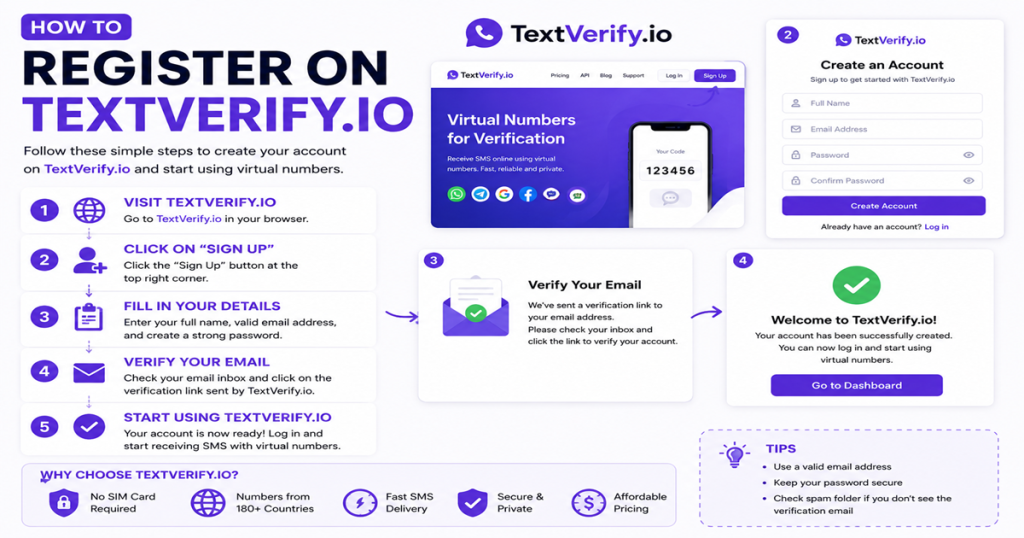
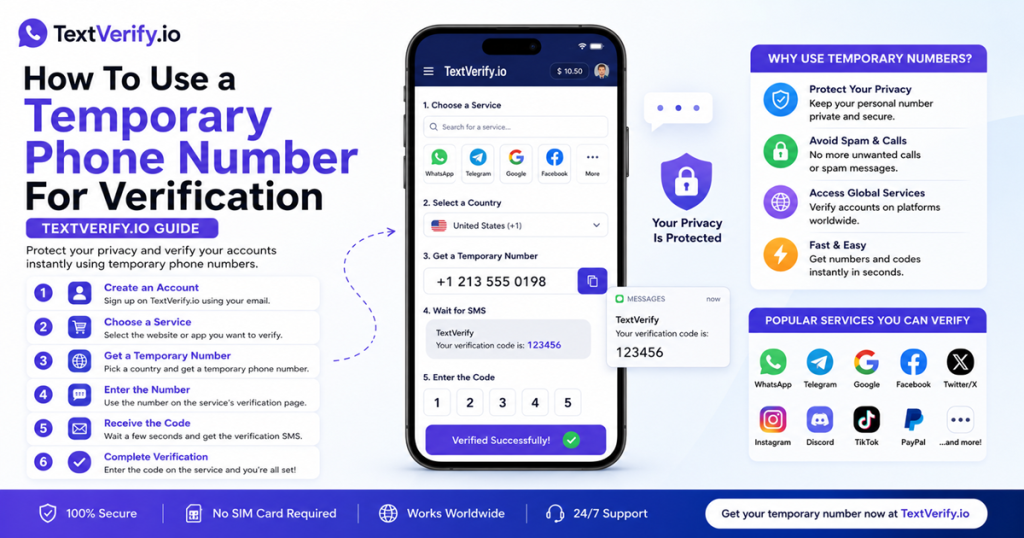
Step-by-Step Guide
Create and verify a MoneyGram online account without your personal phone number:
Common Mistakes to Avoid
- Using a VoIP number. MoneyGram is a FinCEN-registered MSB with state money transmitter licenses and applies strict carrier filtering consistent with AML compliance requirements. All VoIP numbers are rejected before any code is sent. Only a real US carrier number from TextVerify passes this check.
- Using a public SMS site on a money transfer platform. International money transfers are irreversible once picked up by the recipient. A public OTP inbox means anyone who sees the code could complete your MoneyGram registration and initiate transfers using your linked bank account or card. TextVerify’s private inbox is the only safe option.
- Not opening TextVerify before requesting the code. MoneyGram’s OTP expires quickly. Have your TextVerify inbox open before clicking Send Code so you can paste the verification code immediately.
- Not updating to a permanent number before sending transfers. MoneyGram’s transfer security alerts are sent via SMS. Update the phone number before your first transfer and before the TextVerify rental expires to ensure transfer notifications reach you.
- Not completing the full identity verification for higher transfer limits. Phone verification enables basic account access. Sending larger amounts requires additional identity verification including date of birth, address, and sometimes government-issued ID. MoneyGram’s AML compliance requires stricter verification for higher-value transfers.
Frequently Asked Questions
Bottom line
MoneyGram is a FinCEN-registered MSB that checks carrier type before sending an OTP and blocks VoIP numbers as part of its AML compliance process. TextVerify.io provides real US carrier numbers that pass this check. Enter the number during account registration, copy the OTP from your private inbox, confirm it, and complete the identity steps to enable transfers. Update to a permanent number before sending your first transfer so transfer security alerts and confirmation notifications remain active.
TextVerify.io
🌐 Verify MoneyGram Without Your Personal Number
Real non-VoIP US numbers · Passes MoneyGram’s carrier check · Private inbox only you can access
Get Started on TextVerify.io →