Telegram is a cloud-based instant messaging application founded in 2013 by Pavel Durov and his brother Nikolai Durov. With over 900 million monthly active users globally, Telegram is one of the most widely used messaging platforms in the world, known for its strong privacy features, large group chats of up to 200,000 members, channels for broadcasting to unlimited audiences, bots, file sharing up to 4 GB, and end-to-end encrypted Secret Chats. Unlike many apps where a phone number is just one of several login options, Telegram uses your phone number as the primary account identifier — it is both your login credential and the way your contacts find you automatically.
Because your phone number is central to how Telegram works, using your personal number means every contact who has your number will automatically see you on Telegram and can message you. For users who want to keep a Telegram account separate from their personal contacts — whether for a business channel, a pseudonymous identity, a second account, or simply to avoid unsolicited messages from people who have their number — a real non-VoIP US carrier number from TextVerify.io lets you register a Telegram account without linking it to your personal number. Telegram checks carrier type during registration, blocking most VoIP numbers before sending any SMS.
Why Telegram Requires a Phone Number
Telegram’s phone number requirement is more deeply integrated than most apps — the number is not just for verification, it is the account itself:
| Your phone number is your Telegram identity. Unlike platforms where a username or email is the primary account identifier, Telegram ties every account to a phone number at the infrastructure level. Your number is how Telegram knows who you are, how your contacts find you automatically, and how you log back in if you switch devices. Removing the phone number from Telegram’s architecture would require rebuilding the platform from the ground up. |
| Automatic contact discovery. When you join Telegram, it scans your address book and shows you which of your contacts are already on the platform. This works in reverse too — your contacts who are already on Telegram will see your account appear automatically when you sign up with a number they have saved. Using a TextVerify number means your personal contacts do not see you join Telegram under that account. |
| Account recovery and device login. If you lose access to your Telegram account, the registered phone number is the recovery channel. When you add Telegram to a new device, an OTP is sent to the registered number as part of the login process. A real, active number keeps this recovery channel open. If you are registering for a secondary or business account, this matters for long-term access. |
| Separation from personal contacts. Many Telegram users — journalists, community managers, content creators, business owners — want an account that is not connected to their personal phone number. Once your number is registered, even if you hide it in privacy settings, it is still the underlying identifier. A TextVerify number creates a complete separation between the account and your personal identity from the moment of registration. |
| Second account for channels or bots. Telegram allows each phone number to have one account. Running a public channel, a community group, or a Telegram bot often benefits from a dedicated account separate from your personal account. A second TextVerify number creates the second account without requiring a second SIM card or physical device. |
What Does Not Work
These options fail during Telegram’s phone verification step:
| Google Voice. VoIP. Telegram has a strong history of blocking Google Voice numbers. The carrier check identifies it as an internet-routed number and the verification fails before any SMS is sent. This applies even to established Google Voice numbers that have been active for years. |
| TextNow, Hushed, 2ndLine, Sideline, Burner. All VoIP. App-based internet numbers are among the first to appear on Telegram’s blocklist. Telegram has been actively tightening its VoIP filters since 2022, and these services are consistently rejected. |
| Free public SMS websites. Numbers from public receive-SMS sites are well-known to Telegram’s anti-abuse systems and are blocklisted. Beyond the carrier issue, using a public OTP inbox to register a Telegram account means anyone who sees that code can register the same number — effectively impersonating or competing with your registration. |
| Trying to register without any number. Telegram has no email-only or username-only registration path. A phone number is mandatory. Telegram’s Fragment platform (which sells blockchain-based Telegram usernames) does not replace the phone number requirement for account creation. |
TextVerify.io numbers are provisioned from real US licensed telecom carrier infrastructure. They pass Telegram’s carrier lookup as genuine numbers and deliver the OTP to a private inbox only you can access.
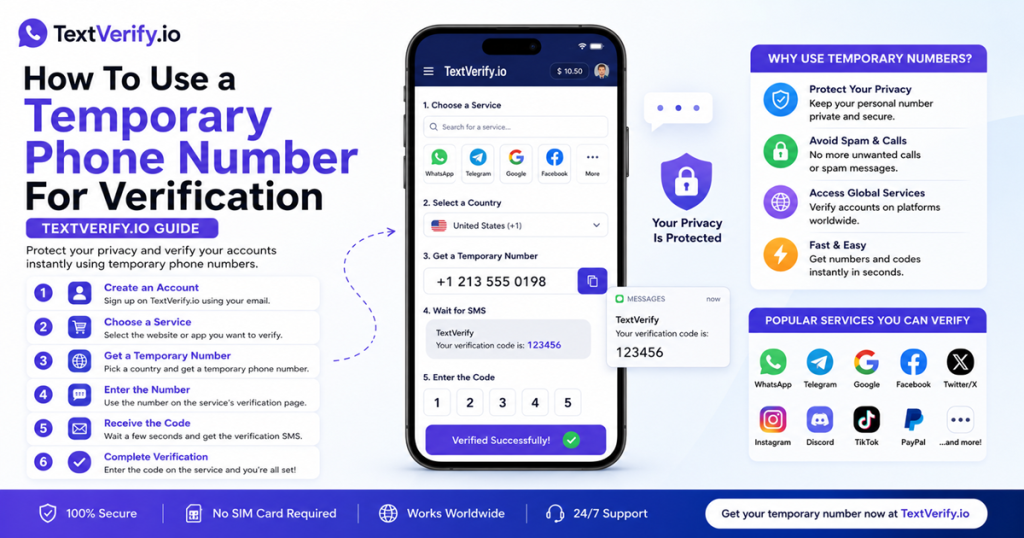
Step-by-Step Guide
Register a Telegram account without your personal phone number:
Common Mistakes to Avoid
- Using a VoIP number. Telegram blocks Google Voice and all major VoIP app numbers at the carrier check. Only a real US carrier number from TextVerify passes this step. Telegram has been consistently tightening its VoIP filters since 2022.
- Using a public SMS site. Public OTP inboxes are blocklisted by Telegram and expose your code to anyone browsing the site. An intercepted Telegram registration code means someone else could register with your number, locking you out before you can complete setup.
- Not setting Two-Step Verification before the rental expires. When the TextVerify rental ends, Telegram cannot send an OTP to that number any more. If you have Two-Step Verification set with a password, you can still log in from new devices using the password alone. Without it, you could be locked out permanently when the number expires.
- Not setting phone number privacy to Nobody. By default, Telegram may show your registered number to mutual contacts. Go to Settings → Privacy and Security → Phone Number and set it to Nobody immediately after account creation.
- Not setting a username. Without a username, people can only reach you if they have the registered number. Setting a @username (Settings → Username) lets contacts find you and message you without ever needing to know which number the account is registered to.
Frequently Asked Questions
Bottom line
Telegram uses your phone number as your account identity and blocks VoIP numbers before sending any OTP. TextVerify.io provides real US carrier numbers that pass this check. Enter the number during registration, copy the OTP from your private inbox, confirm it, and your Telegram account is active. Set Two-Step Verification and hide your phone number in privacy settings immediately after setup, and update to a permanent number before the TextVerify rental expires to keep account recovery working.
TextVerify.io
✈️ Verify Telegram Without Your Personal Number
Real non-VoIP US numbers · Passes Telegram’s carrier check · Private inbox only you can access
Get Started on TextVerify.io →