Skip to content
Text Verify
  • Home
  • Price
  • Blog
  • Faq
  • Api
  • Contact
Dashboard
Dashboard
Text Verify
  • Home
  • Price
  • Blog
  • Faq
  • Api
  • Contact
  • Home
  • All
  • How To Use Temporary Phone Number For Verification

How To Use Temporary Phone Number For Verification

Step 01: Register Textverify Account, You Can See Previous Post, How To Register For Textverify

Step 02: If You Register Textverify And Login, Now You Can See Temporary Number Option.
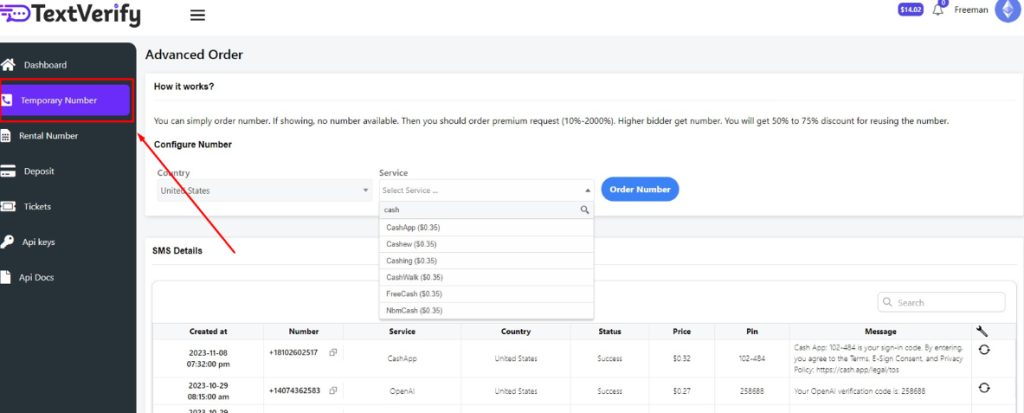
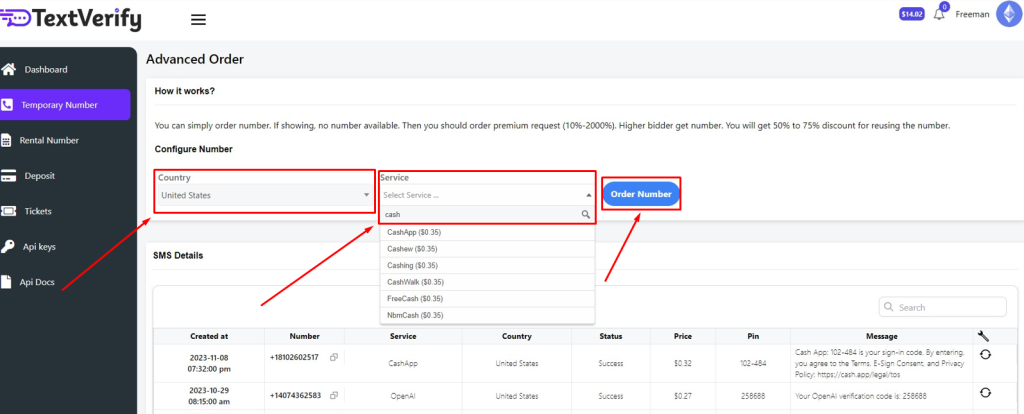
Step 03: Now Select Your Country And Search For The Service You Want To Use, Now Click Order Number.
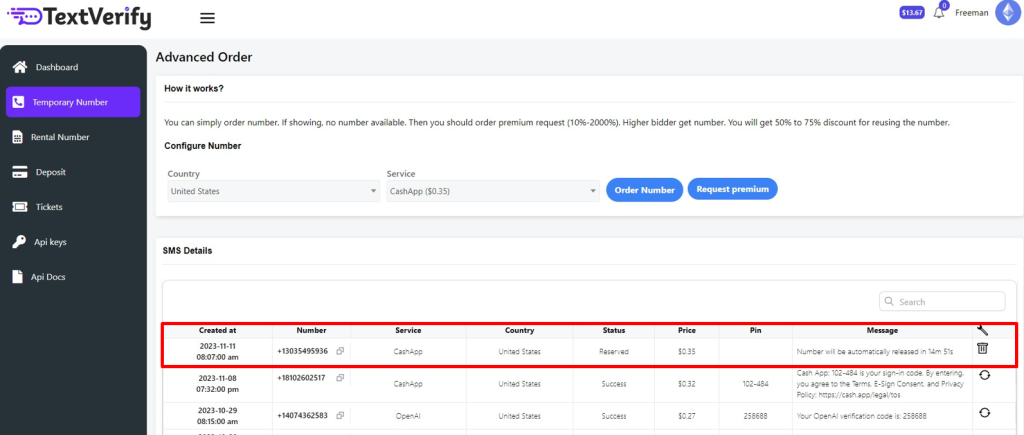
Step 04: After You Order, Your Temporary Phone Number Will Show Below, You Can Now Use This Temporary Phone Number For Verification Your Service.
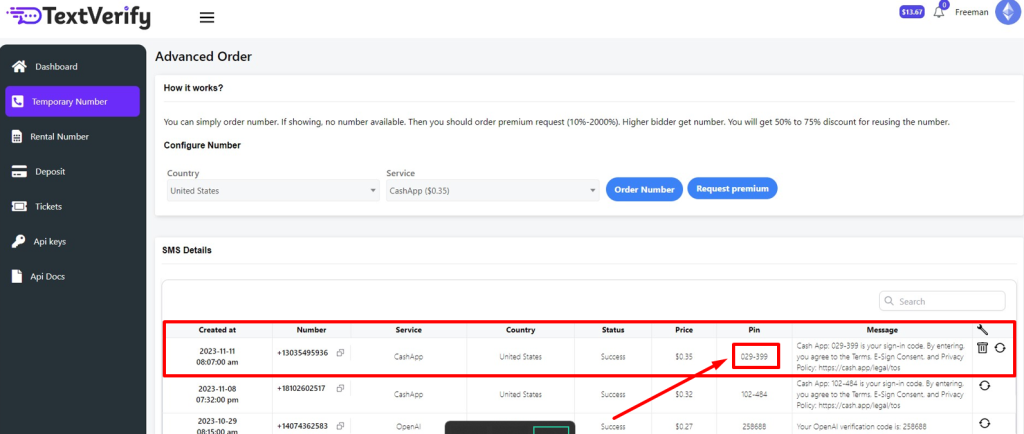
Step 05: If You Use Temporary Phone Number For Verification Your Service, You Will Get Your Message And Pin Code In Due Time.

Previous

How To Use Rental Number

Next

How To Use A Premium Service Number

Related Posts

Non VoIP Number Free

Non VoIP Number Free

Understanding Non-VoIP Numbers Before we dissect the notion of obtaining Non-VoIP numbers for free, it’s…

Read More ->

Temp Number For Chat GPT

Temp Number For Chat GPT

Understanding the Need for a Temp Number For Chat GPT Setup Privacy Concerns: Regularly, when…

Read More ->

Temp Phone Number Crypto

Temp Phone Number Crypto

How to Obtain a Temporary Phone Number Best Practices for Using Temp Numbers in Crypto…

Read More ->

Recent Posts

  • How To Use A Premium Service Number
  • How To Use Temporary Phone Number For Verification
  • How To Use Rental Number
  • How To Register Textverify
  • Temp Phone Number Crypto

Contact

Find us on any of these platforms, we respond business days.

Navigation

  • Home
  • Prices
  • Terms & condition

More information

  • Our blog
  • Frequently Asked Questions
  • SMS verification API
Copyright © 2022 to 2025 TextVerify