Upwork is an American freelancing platform headquartered in San Francisco, California, formed in 2015 through the merger of oDesk and Elance. It is the world’s largest work marketplace by transaction volume, connecting businesses and independent professionals across categories including software development, design, writing, marketing, finance, legal services, and customer support. Upwork went public on the Nasdaq in 2018 under the ticker symbol UPWK. As of 2025, Upwork has over 18 million registered freelancers and more than 5 million registered clients in over 180 countries, facilitating billions of dollars in annual freelancer earnings. The platform supports both short-term project-based work (called contracts) and longer-term ongoing relationships, with payment options including hourly contracts tracked by the Upwork Desktop App and fixed-price milestone contracts. Upwork charges freelancers a service fee based on lifetime billings with a client and charges clients a marketplace fee on top of contract payments.
Upwork requires phone number verification as a mandatory step during account creation for both freelancer and client accounts. Upwork’s verification system performs a carrier check that blocks VoIP and internet-routed numbers before dispatching any OTP. The phone number is used as a primary identity verification signal — Upwork is a financial platform where freelancers receive real payments and clients make real purchases, so it applies stricter identity checks than purely social platforms. If you want to register on Upwork without your personal phone number — to keep your personal contact details off a platform that handles financial transactions and payment data, to maintain privacy when creating a freelancer or client profile, or to manage separate professional identities — a real non-VoIP US carrier number from TextVerify.io passes Upwork’s carrier check and delivers the verification code to a private inbox only you can access.
Why Upwork Requires Phone Verification
Upwork’s phone verification requirement reflects its role as a financial platform, not just a social network:
| Real money transactions require real identity verification. Upwork facilitates genuine financial transactions: freelancers receive payments for completed work via bank transfer, PayPal, Payoneer, or other payout methods, and clients pay real money for services. This financial dimension means Upwork faces fraud risks well beyond those of social platforms — payment fraud, chargeback abuse, and fake contractor schemes are real threats. Phone verification using real carrier numbers is the first identity layer Upwork applies to establish that accounts are associated with real, accountable people before any financial activity begins. |
| Preventing fake freelancer and fake client accounts. Fake freelancer accounts on Upwork are used to generate fraudulent reviews, manipulate Job Success Scores, and deceive clients into hiring contractors who are not who they claim to be. Fake client accounts are used to post fraudulent jobs designed to extract sensitive information from freelancers or to issue fake checks. Phone verification raises the barrier to creating throwaway accounts for these purposes, since each account requires a separate real carrier-registered number that cannot be generated at scale. |
| Compliance with financial services regulations. Upwork handles payments across 180+ countries and must comply with anti-money laundering (AML) regulations, Know Your Customer (KYC) requirements in certain jurisdictions, and financial services rules that apply to platforms processing payments at scale. Phone verification is part of Upwork’s compliance infrastructure for establishing user identity, alongside more detailed identity verification steps (such as government ID submission) required for higher payout tiers. |
| Account security for high-value profiles. Established freelancer accounts on Upwork hold significant economic value: a Top Rated or Top Rated Plus profile with years of completed contracts, strong Job Success Scores, and accumulated client relationships can represent years of work and substantial ongoing earnings. Phone verification supports two-factor authentication to protect these accounts from unauthorized access by third parties who obtain login credentials through phishing or data breaches. |
| Upwork Connect credit system integrity. Upwork freelancers use Connects — platform credits — to submit proposals to job postings. Connects have real monetary value (freelancers purchase them or receive them through a monthly subscription). Without phone verification as a barrier, bot accounts could exploit the Connect system by depleting job posting responses with automated proposals, degrading the quality of Upwork’s marketplace for legitimate clients and freelancers. |
What Does Not Work
These alternatives fail at Upwork’s carrier validation step:
| Google Voice. VoIP. Upwork’s carrier check identifies internet-routed numbers and rejects them before dispatching any OTP. Because Upwork is a financial platform, its carrier validation is applied consistently to every new account. |
| TextNow, Hushed, 2ndLine, Sideline, Burner. All VoIP. App-based virtual numbers route over the internet and are flagged at Upwork’s carrier check. These are among the most commonly attempted services and are specifically identified by number range in carrier databases. |
| Free public SMS receiver websites. Blocked by Upwork. Numbers from public online SMS inboxes are flagged, and using a shared inbox exposes your verification code publicly — a serious security risk on a platform where your account is linked to payout methods and financial data. |
| Skipping verification. Phone verification is mandatory at Upwork account creation for both freelancer and client accounts. There is no path to skip this step or substitute another verification method. The account cannot be activated without it. |
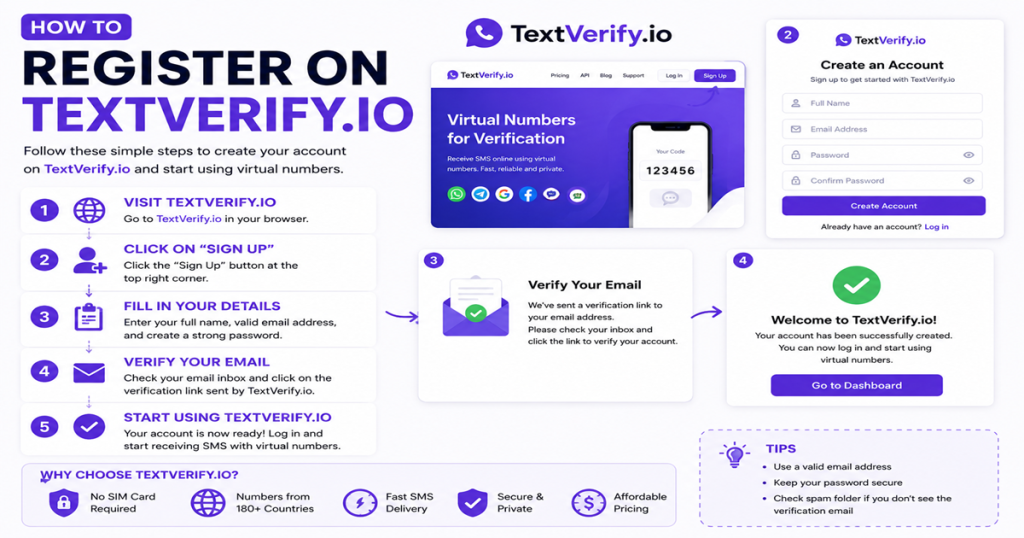
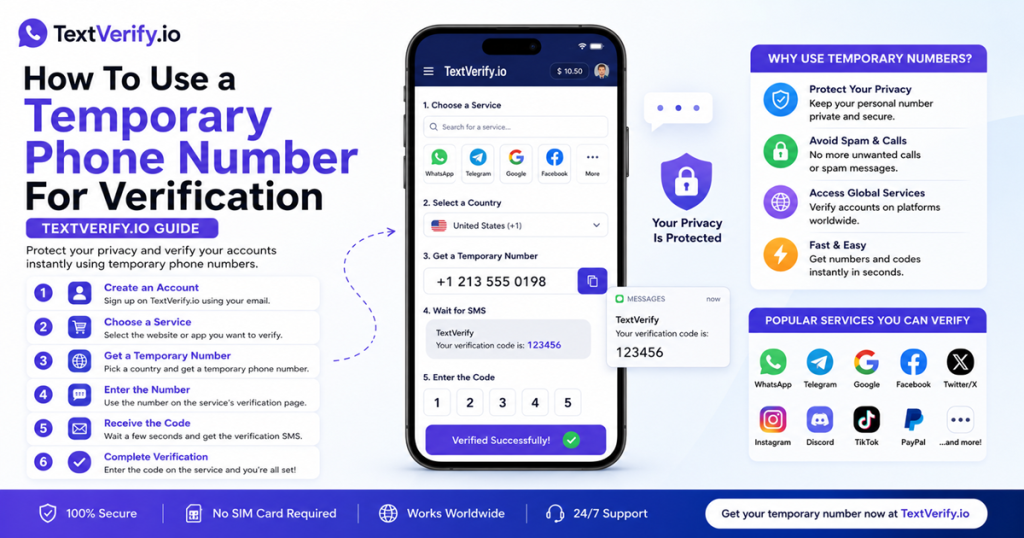
TextVerify.io numbers are provisioned from real US licensed telecom carrier infrastructure. They register in carrier databases as genuine mobile numbers, pass Upwork’s check, and deliver the OTP to a private inbox only you can access.
Step-by-Step Guide
Create an Upwork account without your personal phone number:
Common Mistakes to Avoid
- Using a VoIP number. Upwork’s carrier check blocks VoIP and internet-routed numbers before dispatching any OTP. Phone verification is mandatory at every Upwork account creation. Only a real US carrier number from TextVerify passes consistently.
- Using a public SMS inbox. Upwork accounts are linked to payout methods and financial data. A shared public inbox exposes your verification code to anyone online — a serious security risk on a platform where your account controls freelancer earnings or client payment methods.
- Not having your TextVerify inbox open before clicking Send code. Upwork’s OTPs expire within minutes. Have your inbox tab ready before submitting the number so you can copy and enter the code immediately when it arrives.
- Expecting phone verification alone to unlock payouts. Phone verification activates your Upwork account but does not complete the full identity verification required for payout setup. Freelancers need to submit government-issued ID and complete Upwork’s identity verification flow separately before they can receive payments.
- Not updating the number before the rental expires. Upwork may trigger re-verification for security checks, login from new devices, or payout method changes. Update your phone number in Settings → Contact Info before the TextVerify rental expires to maintain a working recovery channel on an account with active contracts or pending earnings.
Frequently Asked Questions
Bottom line
Upwork requires phone verification at every account creation and blocks VoIP numbers before sending any OTP. TextVerify.io provides real US carrier numbers that pass this check. Enter the number during signup, copy the OTP from your private inbox, and your Upwork account is active. Because Upwork is a financial platform where freelancers receive real payments and clients make real purchases, maintaining a working phone number on your account protects your access to contracts, earnings, and dispute resolution throughout your time on the platform.
TextVerify.io
💼 Verify Upwork Without Your Personal Number
Real non-VoIP US numbers · Passes Upwork’s carrier check · Private inbox only you can access
Get Started on TextVerify.io →